
2D CAD for Windows.
Draxel was created with one goal: to make capable CAD software easier to learn, faster to use, and freely available to everyone. Work natively in metric or inches, apply manufacturing tolerances, organise layers into folders, and trace over image or PDF underlays with smarter crossing selection. Whether you are opening CAD software for the first time or bringing years of professional experience, Draxel keeps accurate technical drawing direct and responsive.

What’s new in Draxel 6.1016
Improves DWG importing and large-drawing memory use, and adds Polar Array.
- RustDWG is now the recommended DWG import converter; LibreDWG remains available in Program Settings.
- Incomplete RustDWG imports automatically try LibreDWG, retaining the Rust result when the alternative cannot be verified as an improvement.
- Reduced memory use and improved responsiveness after importing large drawings and changing layer visibility.
- Batch conversion retains source drawings when an import may be incomplete.
- New Polar Array tool repeats objects, groups or multiple selections around a chosen circle, with an item count or angle interval, both directions and a live preview.
- Angle spacing leaves a full interval before returning to the original, avoiding an extra copy in the remaining gap.
- Updated converter messages and licence and privacy information in all supported languages.
CAD without unnecessary complexity
The name Draxel comes from Drawing Excellence. Every part of the application is designed to make accurate technical drawing feel direct, predictable, and approachable.
Easy to start
Begin drawing without navigating a maze of toolbars and configuration screens. Essential tools stay visible and predictable while retaining the precision experienced CAD users expect.
Built for speed
A responsive drawing canvas, fast editing tools, efficient layer handling, and smooth navigation keep work flowing even as drawings become large.
For every experience level
Familiar CAD concepts, keyboard shortcuts, object snaps, layers, dimensions, tolerances, and direct manipulation welcome established users while keeping the learning curve approachable.
Free for everyone
No subscription, advertising, feature limits, or cloud account. Draxel is freeware.
Layers, units and annotations
Draxel does more than reproduce familiar CAD commands. It improves the everyday workflows that become frustrating in conventional CAD software.
Organise layers into folders
Conventional CAD layer managers leave every layer in one long, flat list. Draxel lets you group related layers into collapsible folders, making complex drawings faster to navigate and much easier to understand.
- Keep assemblies, dimensions, construction geometry, and references together
- Collapse groups to reduce visual clutter
- Preserve folder organisation in native DRX drawings
Trace over underlays without fighting selection
When an image or PDF is used as an underlay, drag a selection rectangle from right to left. Draxel selects the drawing objects that physically cross the rectangle without repeatedly selecting the large underlay behind them.
- Ideal for tracing, redrawing, and checking reference documents
- Selection follows visible geometry rather than an underlay's broad bounds
- Left-to-right selection remains available when full containment is required
Accurate drawing and direct editing
Create precise technical drawings with the tools, snaps, layers, and modification commands expected in a capable CAD workflow.
Drawing and annotation
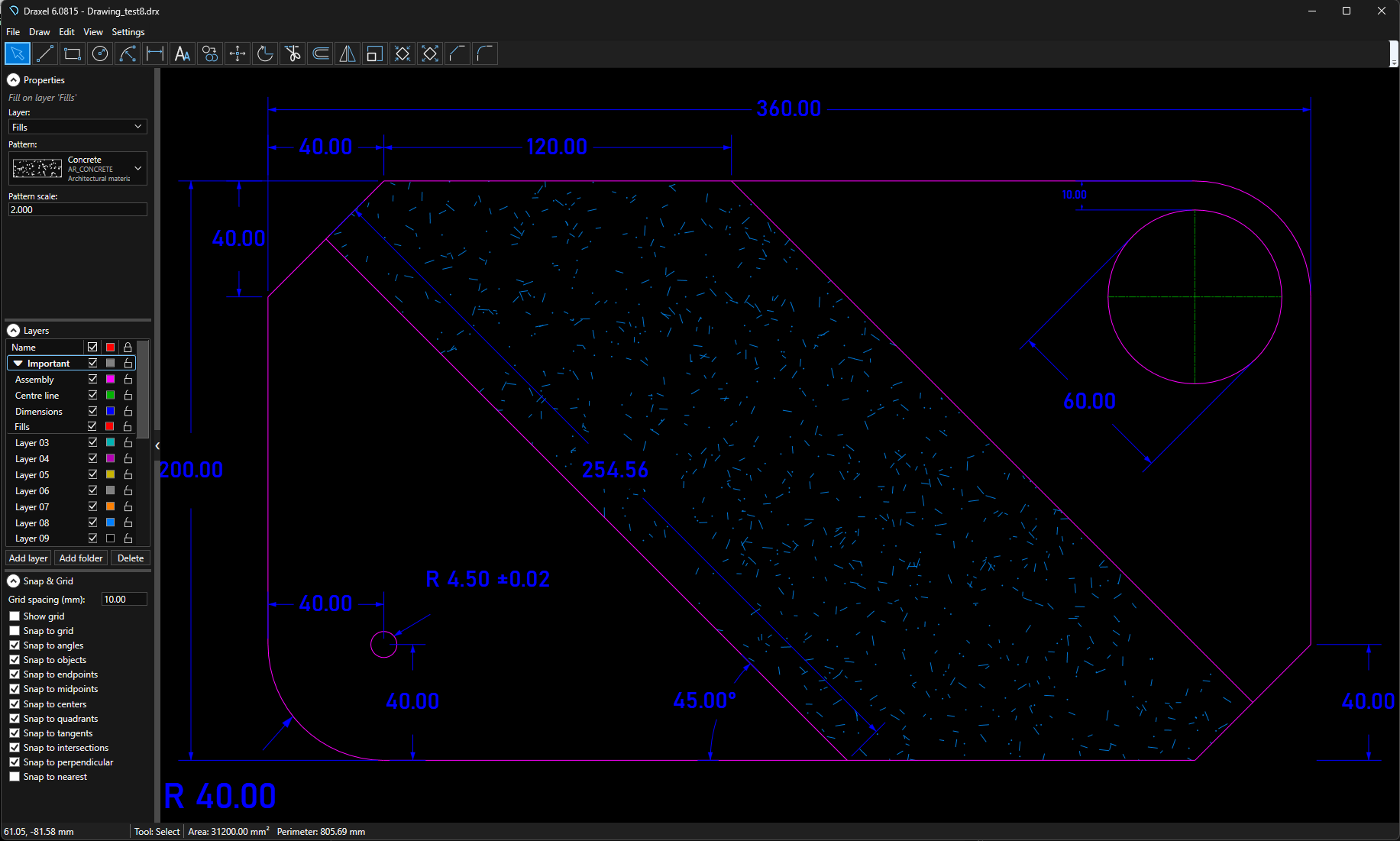
- Lines, rectangles, circles, ellipses, arcs, polylines, text, images, and fills
- Linear, angular, and radius dimensions
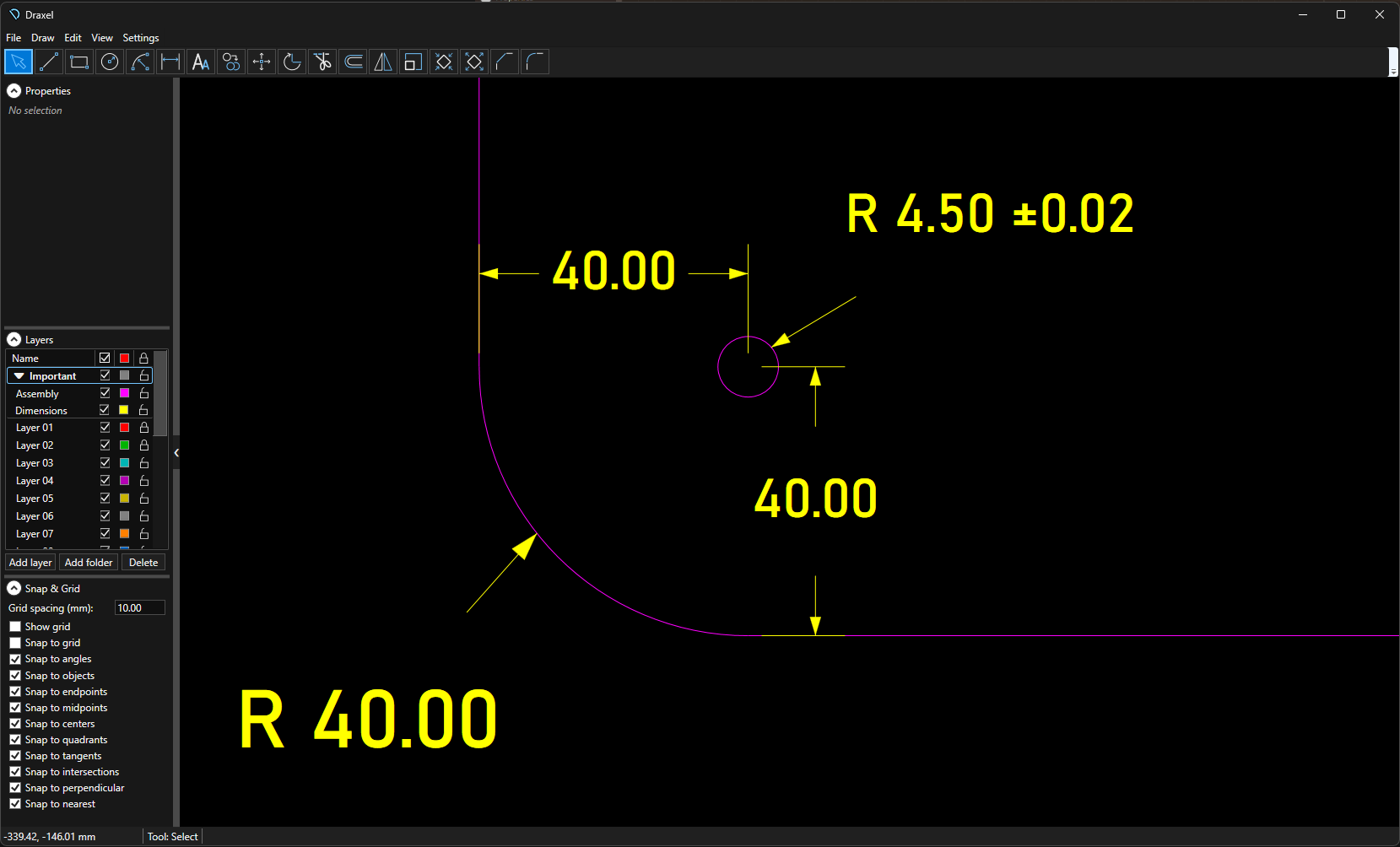
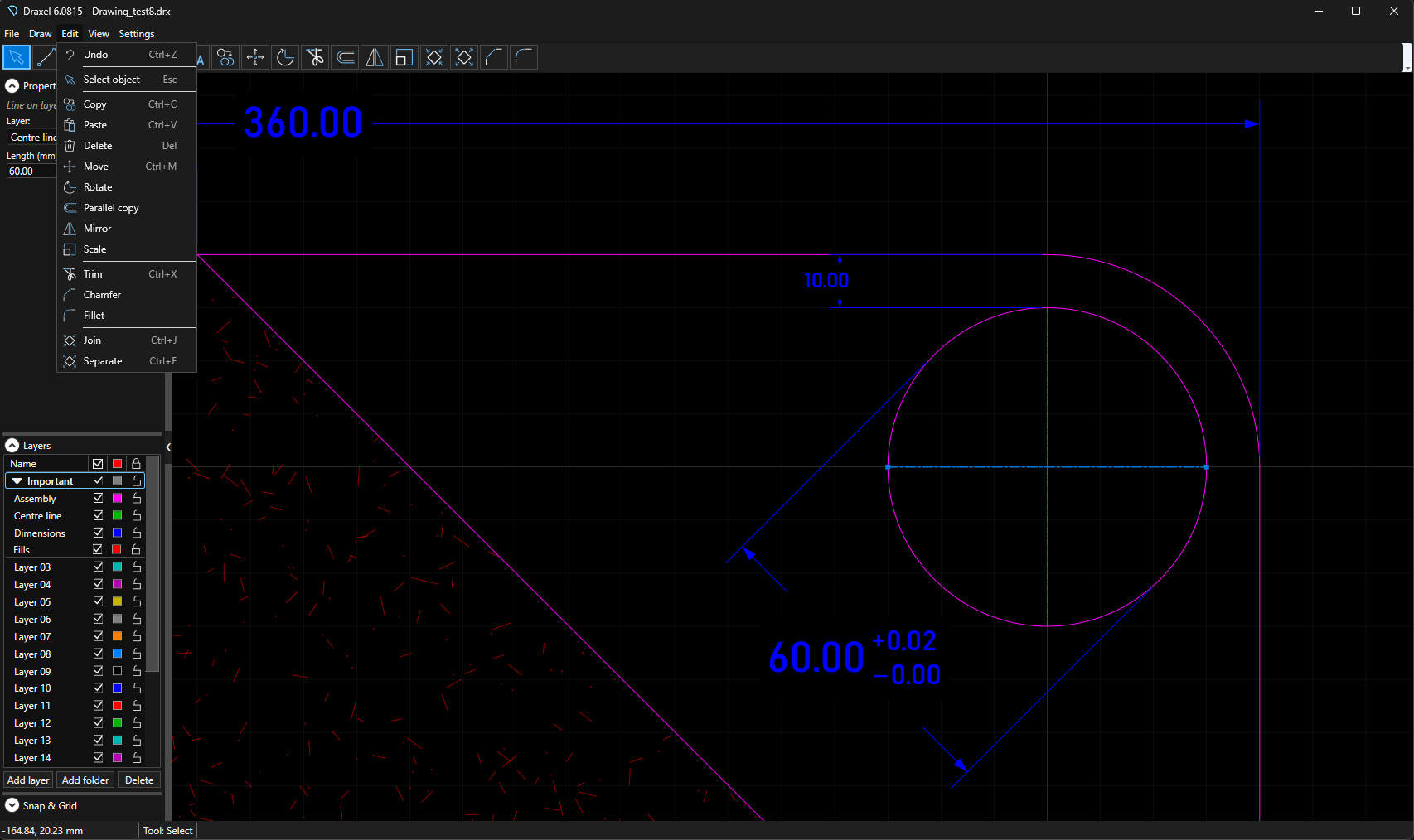
- Symmetric and upper/lower deviation tolerances
- Native metric and inch drawing workflows
Modification tools
- Move, copy, rotate, mirror, and scale
- Trim, chamfer, fillet, join, and separate
- Layers, folders, colours, linetypes, visibility, and locking
Precision snapping
- Configurable grid and angle snapping
- Endpoint, midpoint, centre, and quadrant snaps
- Tangent, intersection, and perpendicular snaps
Import and export drawing formats
Draxel fits established CAD workflows rather than locking drawings into a proprietary environment. It imports modern DWG and DXF drawings and preserves recognised geometry, layers, colours, and linetypes wherever possible.
Import and edit
- Open DRX, DWG, DXF, SVG, EMF, and PDF drawings
- Add pictures as underlays for tracing and reference
- Retain recognised layers and CAD linetypes
- Batch-convert supported CAD files to native DRX drawings
- Receive a clear report when unsupported objects are omitted
Save, print, and export
- Native DRX drawing files
- DWG and DXF CAD output
- PDF and scale-controlled printing
- SVG, EMF, and high-resolution PNG
Turn supported 3D CAD objects into editable 2D drawings
Draxel projects many common 3D entities onto the XY plane and converts the result into normal Draxel geometry that can be edited, dimensioned, printed, and exported.
Supported projections
- 3D lines, polylines, faces, polyface meshes, and polygonal mesh edges
- Flat SOLID and TRACE entities
- Boxes, rectangular solids, and straight-edged prisms
- Concave orthogonal prisms
- Capped cylinders, hollow tubes, and stepped cylindrical solids
- Supported 3D geometry nested inside blocks
Useful results without silent data loss
Supported planar single-body ACIS solids can produce conservative editable outer profiles. Complex unsupported objects are reported during import rather than silently discarded.
Some projections intentionally preserve the usable top-view profile while omitting vertical or internal 3D detail.
Professional drawings, prints, and exports
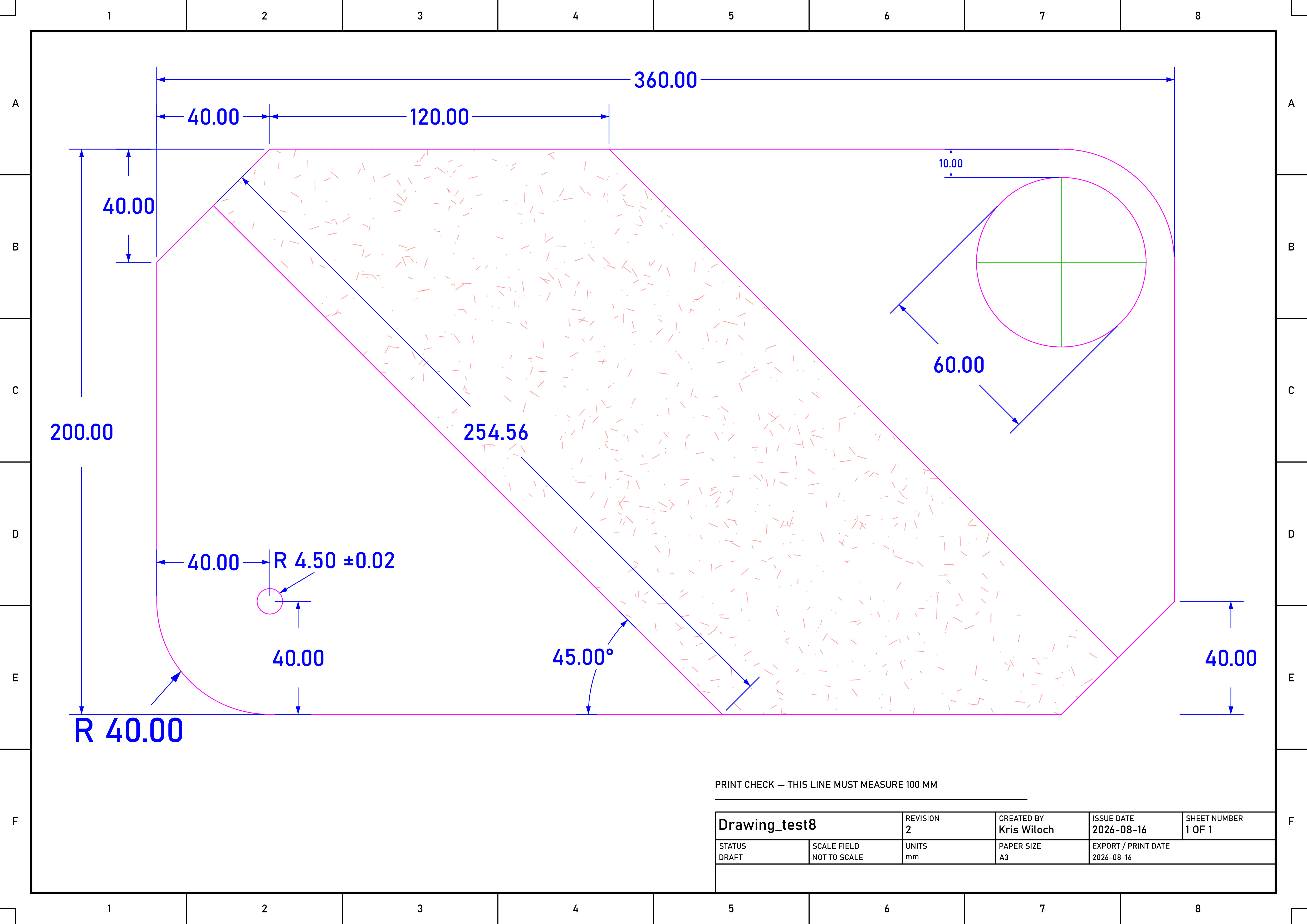
Draxel produces scale-controlled prints and high-quality PDF, SVG, EMF, and PNG output using a shared drawing layout. Standard sheet sizes, borders, title blocks, revision information, linework, dimensions, and technical annotations remain consistent across print and export formats.
Technical drawing conventions
Draxel was designed with established technical drawing standards and conventions in mind:
- ISO 128 — presentation and technical drawing line conventions
- ISO 129-1 — presentation of dimensions and tolerances
- ISO 5455 — recommended drawing scales
- ISO 5457 — drawing sheet sizes and layout
- ISO 7200 — title-block and document data fields
- BS 8888 — UK technical product documentation conventions
Metric, inches, and tolerances
Use the unit system appropriate to the drawing rather than converting work outside the application. Draxel supports both metric and inch-based drawings and carries professional dimension tolerances through to printed and exported output.
- Draw and dimension directly in millimetres or inches
- Display precise decimal values appropriate to each unit system
- Add manufacturing tolerances to technical dimensions
- Keep dimension styling consistent in PDF, SVG, EMF, PNG, and print output
A clear interface in seven languages
Use Draxel in English, Polish, German, French, Spanish, Portuguese, or Simplified Chinese. The application can also select an appropriate language automatically from Windows settings.
Watch Draxel in action
Follow the core workflow from accurate drawing and layer organisation through to transformations and editing.
Drawing basics
Working with layers and folders
Drawing transformations
Detailed interface and output
Explore layer folders, precision dimensions and tolerances, fills, drawing and editing commands, import options, layer properties, and professional sheet output.


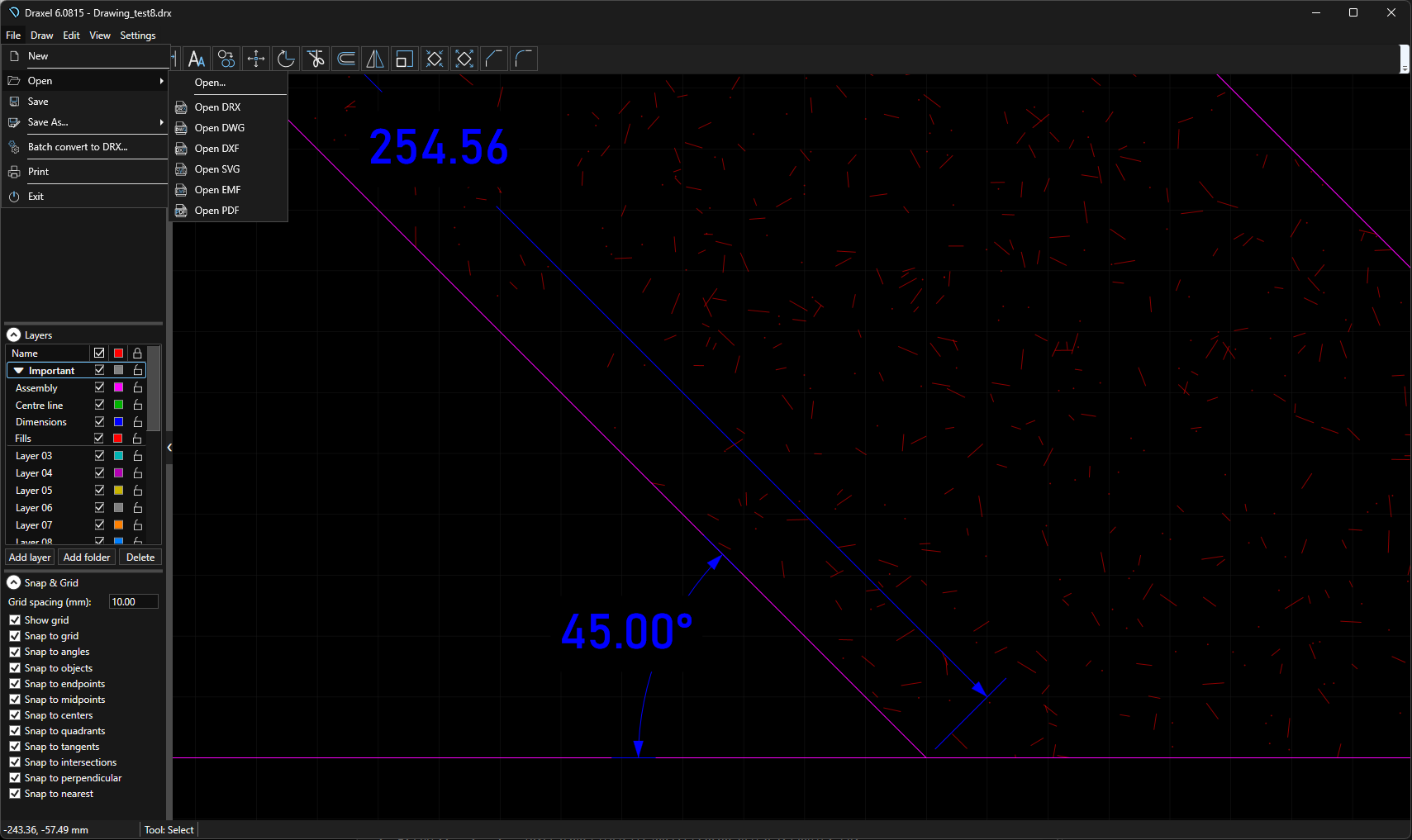

CAD should help you draw—not get in your way.
Draxel brings together accuracy, compatibility, responsive performance, and straightforward operation in one free Windows application.
Start your first drawing today
Download Draxel free of charge for private or corporate use.